OptiCord · New
Discord, rebuilt for the Mac.
Your Discord account in a native Mac app. Everything Discord does, plus live translation, drawing on screen shares, spatial audio and all of Pinterest.

OptiTools
Switch any time with the sun and moon at the top of each app page.Decide later
OT-00 Six apps · one developer · Apple Silicon
Six of them, all native to Apple Silicon. A Discord client. A system optimiser. An audio mixer for every app. A download engine. YouTube and Twitch in one window. Written in SwiftUI, by one person, by hand.
OptiCord · New
Your Discord account in a native Mac app. Everything Discord does, plus live translation, drawing on screen shares, spatial audio and all of Pinterest.
OptiMac · €20
A cleaner, a live monitor and an uninstaller in one 3.2 MB app, written for Apple Silicon and nothing else.

OptiSound · €4.99
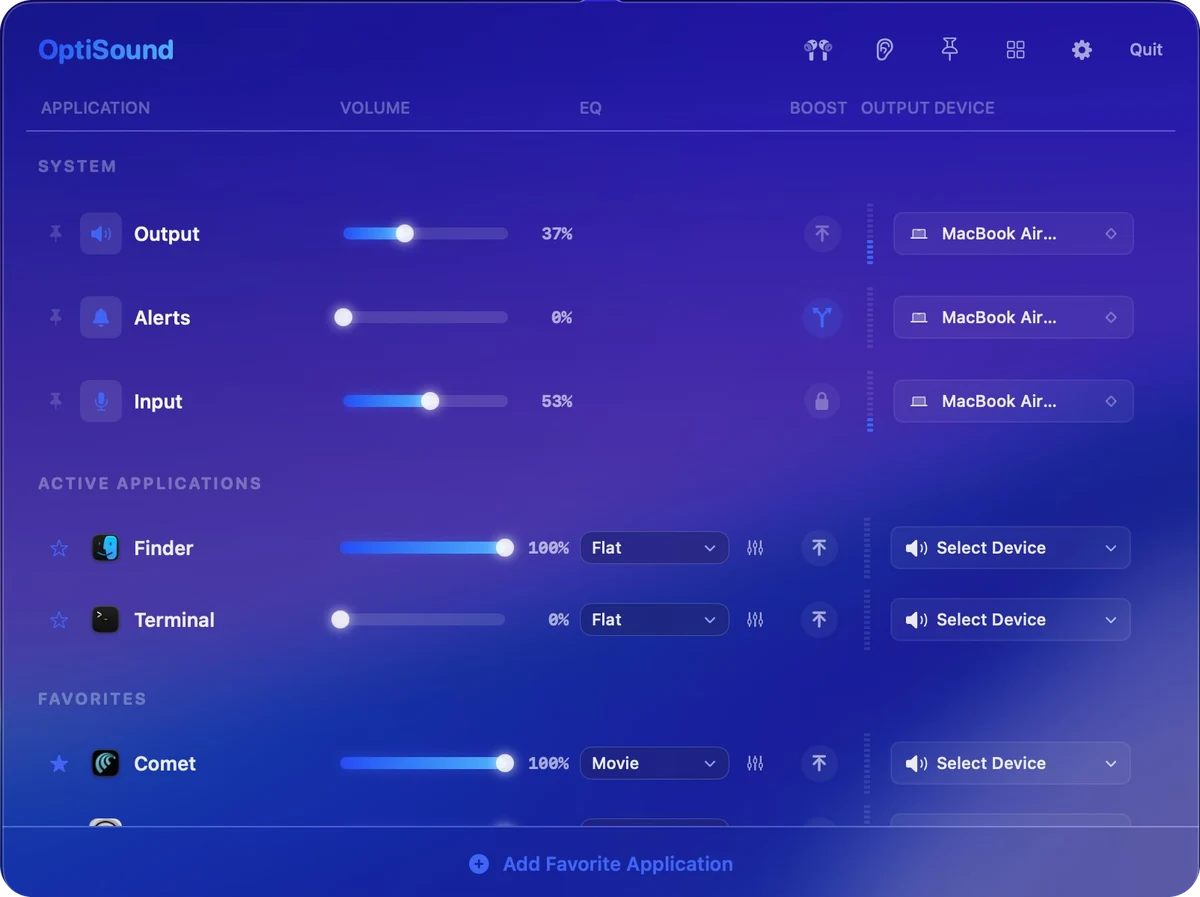
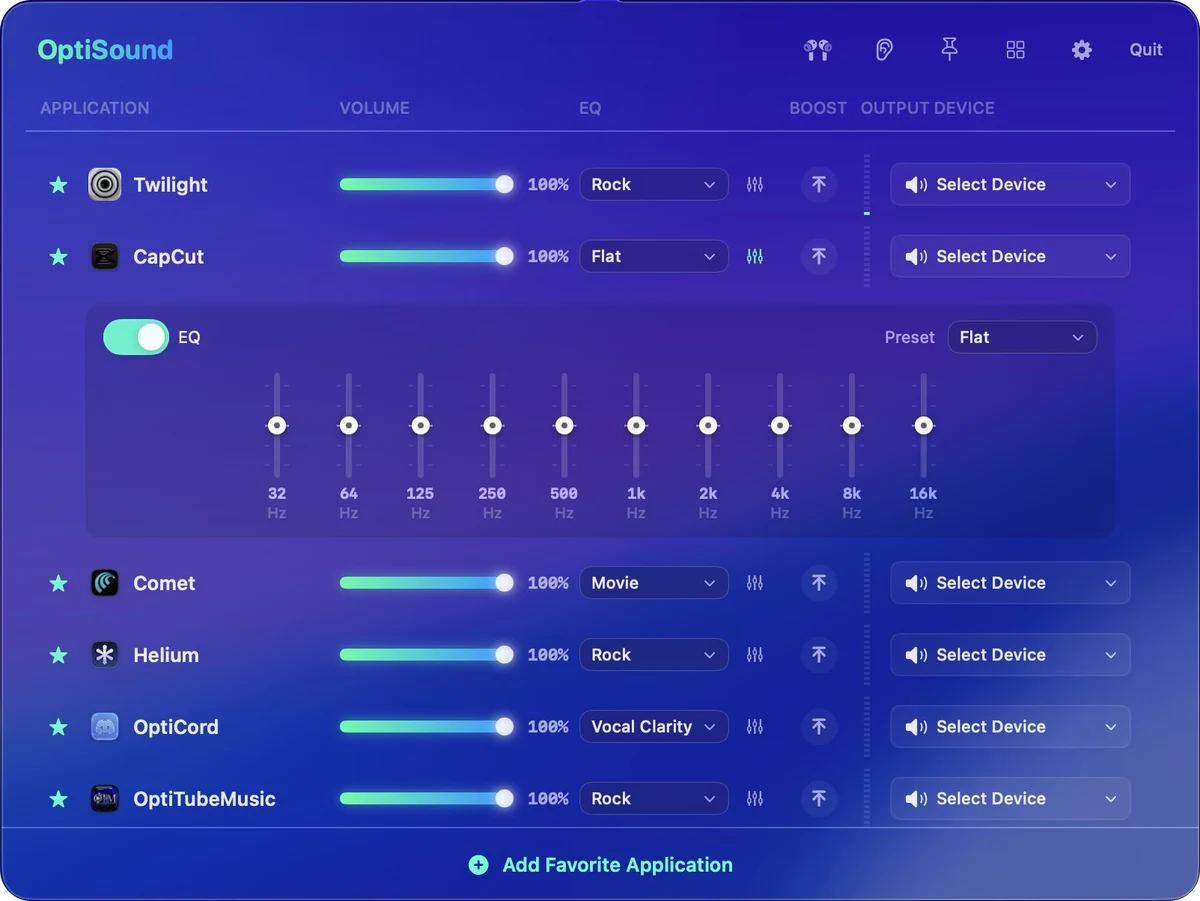
Its own level, its own 10-band EQ and its own output device. Turn the film up and send Discord to the headset while music stays on the speakers.
OptiLoad · €10
The engine splits every file into as many as 128 parallel segments, so downloads finish at the speed your connection is actually capable of.

OptiTube · €4.99
YouTube Music, YouTube, YouTube Studio and Twitch in a single native Mac app. One login, one window, four tabs across the top.

New
Native Discord client
Everything Discord does, plus live translation, drawing on screen shares and spatial audio.
€29.99One-time · lifetime licence
System utility suite
System optimiser. Deep cleaning, live monitoring, complete uninstalls.
€20One-time · lifetime licence
Per-app audio mixer
Audio mixer. Per-app volume, routing, 10-band EQ, clean boost.
€4.99One-time · lifetime licence
Segmented download engine
Download manager. Segmented engine, 1700+ sites, torrents.
€10One-time · lifetime licence
Music, video, Studio, Twitch
YouTube Music, YouTube, Studio and Twitch in one window.
€4.99One-time · lifetime licence
Free
Legacy & utilities
The outer belt. Free tools for Intel Macs and iOS.
FreeOpen source · GPL-3.0
Pay once
Every paid app is a one-time purchase with a lifetime licence. No monthly fee, no upgrade tier, no account to create.
Privacy
No sign-in, no telemetry, no analytics and no cloud sync. Network access is used only where a feature needs it.
Native
Every app is compiled for Apple Silicon, with no Chromium bundled inside, no Rosetta and no cross-platform layer.
Checkout
PayPal handles the payment on the product page and the download arrives straight away. The licence is permanent.
Free tools
OptiExtras is free: OptiDark, a true-colour dark mode for Chrome, plus the OptiMac Intel command-line optimiser and OptiTranslate for Safari on iPhone and iPad.
German Engineering
Written in SwiftUI by one person, by hand. Questions go to info@optitools.org.
Free tools for what the paid apps don't cover: a true-colour dark mode for Chrome, Intel Macs and iOS. No licence keys, no accounts.
Explore OptiExtrasInstall the OptiLoad extension and your browser stops downloading things. It hands them to OptiLoad instead, which splits them, speeds them up and puts them where you wanted them.
About the extensionSide by side
| Compared | OptiTools | The usual Mac software |
|---|---|---|
| Price | Paid once, no account with us | Monthly, forever |
| Built with | SwiftUI, native on Apple Silicon | Electron wrapped around a web page |
| When idle | Next to nothing | A helper you didn't ask for |
| Interface | 120 Hz, drawn by the Mac | A website in a window |
Questions
No. Every paid OptiTools app is a one-time purchase with a lifetime licence: OptiMac €20, OptiLoad €10, OptiSound €4.99 and OptiTube €4.99. There is no monthly fee, no upgrade tier and no OptiTools account to create.
The paid apps are native Apple Silicon builds for M1, M2, M3, M4 and M5, including Pro, Max and Ultra. OptiTube additionally requires macOS 26 or later. Intel Macs are served by the free, open-source OptiMac Intel CLI in OptiExtras.
OptiCord for Discord as a native Mac app. OptiMac for cleaning, uninstalling and system monitoring. OptiSound for per-app volume, EQ and audio routing. OptiLoad for fast downloads, media extraction and torrents. OptiTube for YouTube Music, YouTube, YouTube Studio and Twitch in one native window. OptiExtras for free Intel Mac and iOS tools.
No. Every app is written in SwiftUI and compiled for Apple Silicon, with no Chromium bundled inside, no Rosetta and no cross-platform layer. OptiMac is 3.2 MB on disk and OptiLoad idles under 1% CPU.
No account, no sign-in, no telemetry, no analytics and no cloud sync. Network access is used only where a feature inherently needs it, such as downloading, streaming, translation and speed testing.
PayPal handles the payment on the product page and the download arrives straight away. The licence is permanent.
Yes. OptiExtras is free: OptiDark, a true-colour dark mode extension for Chrome, plus the OptiMac Intel CLI optimiser for Intel Macs and OptiTranslate, a Safari userscript for iPhone and iPad, both open source under GPL-3.0.
Email info@optitools.org or use the contact page at https://www.optitools.org/contact.
OT-00 OptiTools
PayPal takes the payment, the download starts. No account, nothing to renew.
Explore the lineupOne-time purchase · Lifetime licence · No account